Guide
How to edit a talking head video with B-roll
Stay on the speaker unless you have a shot that shows what the line says. Here is that rule on one real 50-second cut, with its timings.
The test
Cut away, or stay on the speaker?
I'm not an editor. Run each line of your script through this test.
| If the line | Then |
|---|---|
| Opens the video | stay Let people see who is talking first. |
| Names a place, a thing or an action you filmed | cut away Show it. |
| Is an idea, and one of your shots says it with the sound off | cut away Check it muted first. |
| Is the claim or the ask you most need believed | stay Say it to the camera. |
| Has a jump cut to hide | cut away Lay the shot over the join. |
| Fits nothing you filmed | stay No cutaway beats a wrong one. |
| Only fits a shot with a client in it | stay Unless they have agreed to be shown. |
A real cut
One 50-second talk, cut by cut
This is my own talk about a book on doing less, cut with footage from one trip. lazycut, the tool I built, proposed the cutaways and gave a reason for each.
Cut from my recording with the Mac version of lazycut. Best of three runs. The browser version takes a pasted script instead.
-
0:00 to 0:08
On me
The opening line names a book. I had no shot of one. -
0:08 to 0:13
Hikers climbing a forest trail cutaway, 5 s
lazycut: “Hikers climbing steadily up a forested mountain trail show working toward chosen goals.” -
0:13 to 0:17
On me
I finish the thought and ask “What does that mean?” -
0:17 to 0:21
A hiker stopping at a trail sign cutaway, 4.5 s
lazycut: “A hiker pausing at a trail sign suggests stopping to choose what matters most.” -
0:21 to 0:28
On me
The line about saying no. Nothing I filmed showed it. -
0:28 to 0:33
Walking up to a waterfall cutaway, 5 s
lazycut: “Walking up to a waterfall and stopping to photograph it shows everyday creativity and enjoyment.” -
0:33 to 0:50
On me
Two more cutaways were proposed here. I removed both.
7 lines, 5 cutaways proposed, 3 kept.
Pacing: open on the speaker
- It opens on me for 8 seconds and ends on me for the last 17.
- The speaker starts the line. Each cutaway comes in about a second after its line begins.
- Hold it long enough to read. Mine ran 5, 4.5 and 5 seconds, and each was gone by the next idea.
- Come back to the speaker between cutaways. Here, for about 4 and 7 seconds.
- B-roll is the smaller share: 14.5 of the 50 seconds.
Match the picture to the line
Ask what a viewer should see while they hear the line. A literal match is safest: the line names a trail, you show the trail. Otherwise a shot can stand in for the idea, if it still makes sense muted.
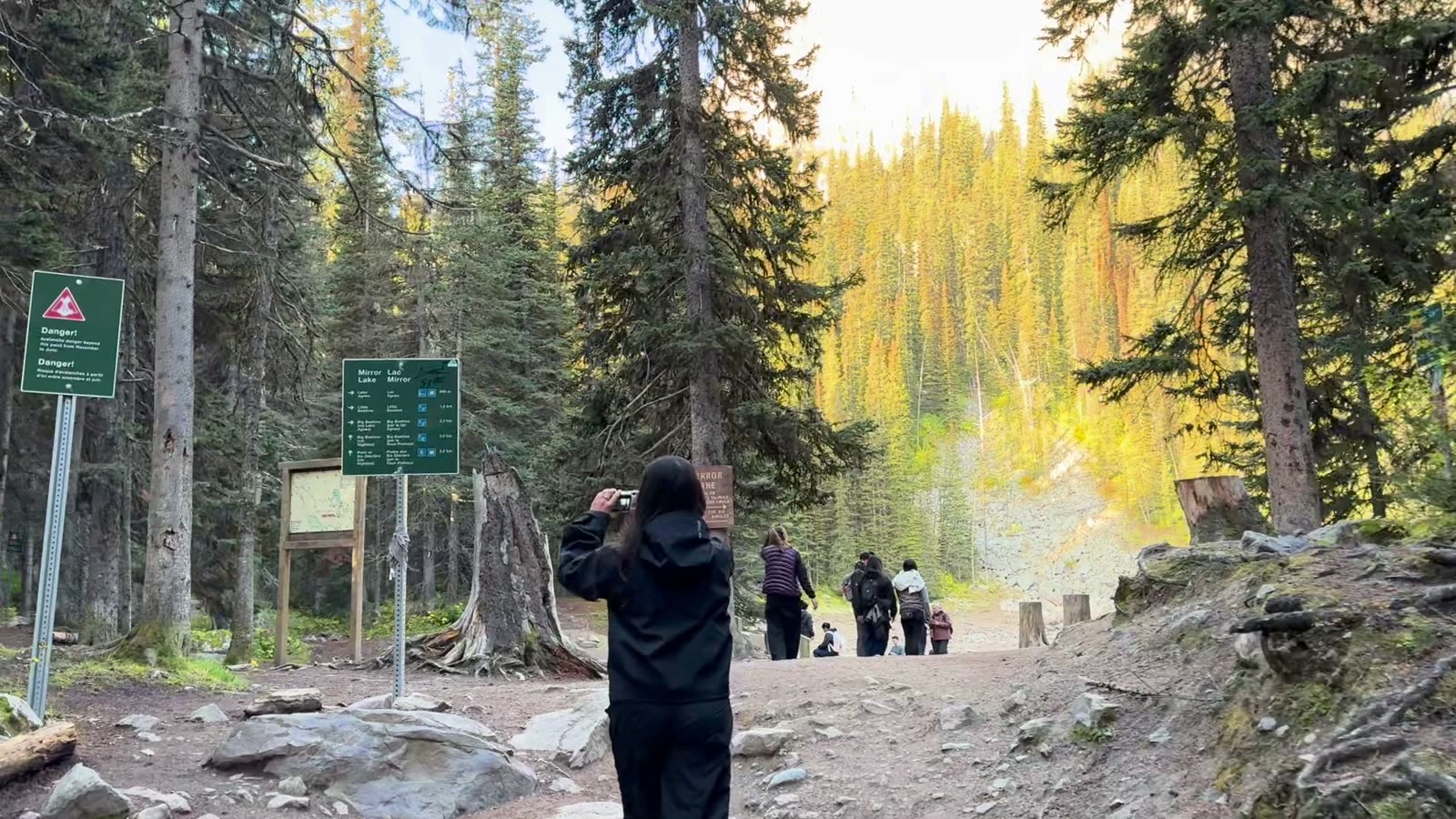
My script asked for desks and notebooks. I had mountains. The line-by-line account is in B-roll ideas for coaches.
A wrong cutaway is worse than none
A cutaway tells the viewer “this is what I mean.” When the picture shows something else, they are left working out why. Staying on the speaker avoids that.
I removed two of the five:
- “…enjoy my life outside of work.” A canyon walkway, where a crowd of strangers was the whole picture.
- “My first one is my family and my partner.” Picked as a couple by a lake. It opens on a trail-work sign, then shows the back of one head. The couple never appears.
Both lines stayed on me. And if a client appears in a shot, get their consent before you use it.
The same cut in any editor
- Finish the words first. Cut the pauses and retakes before any B-roll goes in.
- Split the script into lines, one idea each. Mine had 7.
- Write the picture each line asks for, then look for it in your footage. No match means the line stays on you.
- Put each cutaway on the track above the talking head and mute its sound, so your voice keeps playing. Final Cut: Edit > Connect to Primary Storyline (Apple's guide, read 2026-10-03). DaVinci Resolve: the “place on top” edit (Blackmagic's edit page, read 2026-10-03).
- Trim to the line. Start a beat after the line begins and end by the time the line ends.
- Choose the in-point. A clip's first seconds are often the camera settling. My three cutaways start 3 to 8 seconds into their clips.
The finishing pass
- Watch once with the sound off. Does each cutaway still make sense?
- Listen once without looking. No cutaway's sound should leak under your voice.
- Check the first and last frame of each cutaway, where a sign, a stranger or a blur hides.
- Compare the color of each cutaway with the talking head.
Where lazycut fits
Steps 2 to 4 are the logging, finding and placing. lazycut does that 80%. The 20% stays with you: story, taste, the final cut.
The browser version takes a pasted script, not a recording, and a folder of footage you filmed. It places one of your shots on each line it can, gives a reason for each shot, and leaves the rest on the speaker. You get a B-roll timeline (an FCPXML file) for DaVinci Resolve or Final Cut, not Premiere. You lay it over your take and nudge each shot into place.
Cutting from the recording itself, as in the demo above, is the Mac version only. Free invite-only beta, no card.
See how lazycut worksQuestions
How long should a B-roll cutaway be?
Long enough to read the picture, and gone by the next idea. In my 50-second talk the three cutaways ran 5, 4.5 and 5 seconds.
What if I have no B-roll for a line?
Stay on the speaker. In my talk, 4 of the 7 lines have no cutaway.
Which editor do I need?
For the steps by hand, any editor with a second video track. lazycut's timeline is for DaVinci Resolve or Final Cut, not Premiere. DaVinci Resolve has a free version (Blackmagic's page, read 2026-10-03). On Windows, relink the media in Resolve after you open the timeline.
More guides
- B-roll ideas for coaches: the shots your script asks for
What one real 50-second talk asked for, line by line, and a checklist of 20 shots to film or find in your camera roll.
- Descript B-roll from your own footage: how to do it
What Descript does with B-roll from your own clips, by-hand steps, a file name pattern, and where lazycut differs.
- How to import FCPXML into DaVinci Resolve or Final Cut
How to import a lazycut FCPXML timeline into DaVinci Resolve or Final Cut, and fix missing clips.